
How POS Reports Help Restaurant Owners Make Smarter Business Decisions
POS reports help restaurant owners track sales, manage costs, and make smarter decisions
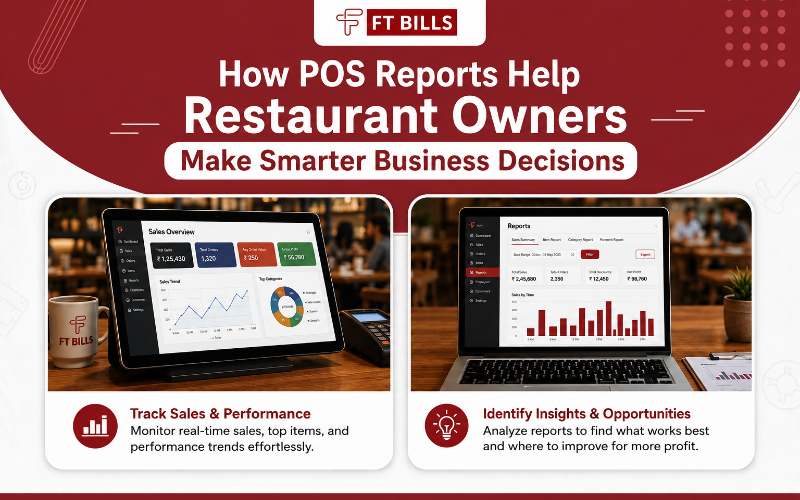
Running a restaurant is never just about good food and great service. Behind every successful restaurant is a stream of data — sales numbers, inventory levels, staff performance, and customer preferences — that, when read correctly, can transform the way an owner runs the business. This is where POS (Point of Sale) reports come in.
A modern POS system does far more than process payments. It captures every transaction, every order, and every shift, turning raw activity into structured reports that restaurant owners can actually use. With the right insights, owners stop guessing and start making data-backed decisions that improve profitability, reduce waste, and keep customers coming back.
FT Bills helps restaurants turn POS data into actionable insights that can support smarter day-to-day business decisions. In this blog, we'll break down the key POS reports every restaurant owner should track, how they translate into smarter decisions, and why choosing the right system matters.
Why POS Reports Matter for Restaurants
Every order placed, every table turned, and every item sold generates data. Without a system to organize this data, it's just noise. POS reports convert that noise into signal — showing owners exactly what's working and what isn't.
Here's what good POS reporting enables:
- Accurate sales tracking across shifts, days, weeks, and seasons
- Inventory visibility to prevent overstocking or running out of key ingredients
- Staff performance monitoring to identify top performers and training gaps
- Menu engineering based on what actually sells versus what looks good on paper
- Cost control by tying purchasing and waste directly to sales data
- Customer behavior insights for loyalty programs and targeted promotions
Why POS Reports Matter for Restaurants
Every order placed, every table turned, and every item sold generates data. Without a system to organize this data, it's just noise. POS reports convert that noise into signal — showing owners exactly what's working and what isn't.
Here's what good POS reporting enables:
- Accurate sales tracking across shifts, days, weeks, and seasons
- Inventory visibility to prevent overstocking or running out of key ingredients
- Staff performance monitoring to identify top performers and training gaps
- Menu engineering based on what actually sells versus what looks good on paper
- Cost control by tying purchasing and waste directly to sales data
- Customer behavior insights for loyalty programs and targeted promotions
Key Types of POS Reports Every Owner Should Track
1. Sales Reports — Show total revenue broken down by hour, day, server, or category. Owners can spot peak hours, slow periods, and seasonal trends, helping with staffing and marketing decisions.
2. Inventory and Stock Reports — Real-time inventory tracking prevents both overstocking (which ties up cash and increases spoilage) and stockouts (which frustrate customers and lose sales).
3. Menu Performance Reports — Not every dish is a moneymaker. Menu reports reveal which items drive sales and which ones underperform, helping guide smarter pricing and menu decisions.
4. Labor and Staff Reports — By comparing labor cost against sales volume, owners can fine-tune scheduling, reduce overtime, and reward high-performing staff.
5. Customer and Loyalty Reports — These track repeat visits, average spend, and popular order combinations — valuable data for building loyalty programs and personalized offers.
6. Discount and Void Reports — Tracking discounts, comps, and voided transactions helps owners catch both operational errors and potential internal theft.
How These Reports Translate Into Smarter Decisions
Data alone doesn't run a restaurant — decisions do. Here's how owners turn POS reports into action:
- A slow Tuesday lunch trend leads to a targeted lunch promotion instead of blanket discounts.
- A high-waste ingredient identified in inventory reports leads to portion control adjustments.
- A top-selling but low-margin dish gets repriced or paired with higher-margin add-ons.
- Labor reports reveal overstaffing during off-peak hours, allowing for leaner, more cost-effective scheduling.
- Loyalty data helps identify VIP customers worth targeting with special offers.
This is the real power of POS reporting: it removes guesswork and replaces gut instinct with evidence.
Choosing the Right POS System Matters
Not all POS systems report data the same way. Some offer only basic sales totals, while others provide deep, customizable analytics across every part of the business.This is exactly why FT Bills focuses on POS Software Development Solutions for Smarter Business Management, helping restaurants access useful reporting and operational insights without unnecessary complexity. A well-designed POS solution can give restaurant owners the reporting depth they need to make smarter decisions and support business growth.
A well-built POS doesn't just record transactions; it becomes a decision-making tool that owners rely on daily.
Comparison: Basic POS Reporting vs. Advanced POS Reporting
| Feature | Basic POS Reporting | Advanced POS Reporting (FT Bills) |
| Sales Data | Daily totals only | Real-time, hourly, and category-wise breakdown |
| Inventory Tracking | Manual or none | Automated, real-time stock alerts |
| Menu Insights | Limited or unavailable | Item-level sales performance analysis |
| Staff Performance | Basic clock-in/out logs | Sales-per-staff and efficiency tracking |
| Customer Insights | Minimal | Loyalty trends, repeat visit tracking |
| Custom Reports | Not supported | Fully customizable dashboards |
| Multi-Location Support | Rarely available | Centralized reporting across branches |
| Integration Options | Limited | Integrates with accounting, CRM, delivery apps |
Frequently Asked Questions
1. What is a POS report in a restaurant?
A POS report is a data summary generated by the point-of-sale system, covering sales, inventory, staff performance, and customer activity, used to guide business decisions. It works like a daily health check, turning raw transaction data into clear insights owners can act on instead of relying on memory or guesswork.
- Covers sales, inventory, labor, and customer trends in one place
- Can be pulled in real-time or scheduled (daily, weekly, monthly)
- Helps owners spot problems before they become costly
- Forms the base for forecasting future sales and demand
2. How often should restaurant owners check POS reports?
Daily for sales and inventory snapshots, and weekly or monthly for deeper trends like menu performance and labor costs. Some numbers need daily checks to catch issues in real time, while others only make sense over a longer stretch, once enough data reveals a genuine pattern rather than a one-off blip.
- Daily: Total sales, cash vs. card reconciliation, low-stock alerts
- Weekly: Staff performance, discount/void patterns, slow-moving menu items
- Monthly: Menu profitability, customer retention trends, seasonal comparisons
- Quarterly/Yearly: Overall growth trends, ROI on promotions, year-over-year comparisons
3. Can POS reports help reduce food waste?
Yes. Inventory and menu reports can highlight overordered or underused ingredients, allowing owners to adjust purchasing and portion sizes. Food waste can be difficult to identify without proper tracking, especially when spoilage, over-ordering, or inconsistent portioning occurs
- Identifies ingredients that consistently expire before being used
- Flags mismatches between purchased quantity and actual usage
- Helps set more accurate par levels for reordering
- Supports better portion control by comparing recipe cost vs. actual usage
4. Do small restaurants need advanced POS reporting?
Yes. Even small restaurants benefit significantly, since tighter margins make accurate data even more critical for profitability. A small restaurant operating on thin margins can't afford to run on guesswork the way a large chain with more financial cushion sometimes can. Small restaurants may have less room to absorb losses from waste, errors, or other operational inefficiencies than larger chains
- Reports help identify your 2–3 highest-margin dishes to push harder
- Prevents "gut feeling" decisions that quietly drain profit over time
- Even basic reporting can reveal which day-parts or days are underperforming
5. How do POS reports improve staff management?
By reviewing staff activity and shift-level sales data, owners can optimize schedules, identify training needs, and reward top performers. It replaces impressions of who "seems" productive with an objective view of how each staff member actually contributes to sales and service.
- Highlights top performers for incentives or promotions
- Flags staff who may need additional training or support
- Helps avoid overstaffing during slow hours and understaffing during peak hours
- Tracks void/discount patterns per employee, which can flag errors or misuse
6. Is POS reporting useful for multi-location restaurants?
Absolutely. Centralized reporting allows owners to compare performance across branches and standardize what's working. Without it, each location tends to run like a silo, hiding both problems and best practices that could otherwise be shared across the business.
- Lets owners compare sales, waste, and labor cost across branches side by side
- Helps identify which location's best practices should be replicated elsewhere
- Makes it easier to standardize menu pricing and promotions
- Simplifies overall business forecasting and budgeting across all outlets
7. What makes FT Bills' POS solution different?
FT Bills builds POS Software Development Solutions for Smarter Business Management, focused on deep, customizable reporting rather than just basic transaction processing. The system is built to help owners understand the "why" behind their numbers, not just record them.
- Real-time dashboards instead of static end-of-day summaries
- Customizable reports tailored to how each restaurant actually operates
- Built to scale — works for single outlets and multi-location chains alike
- Designed to integrate with accounting, CRM, and delivery platforms for a fuller business picture
About the Author
This article was reviewed by the FT BILLS team, specializing in restaurant POS software, billing, inventory management, and digital solutions. With 5+ years of experience, the team provides practical insights to help restaurants, cafes, and food businesses improve daily operations.